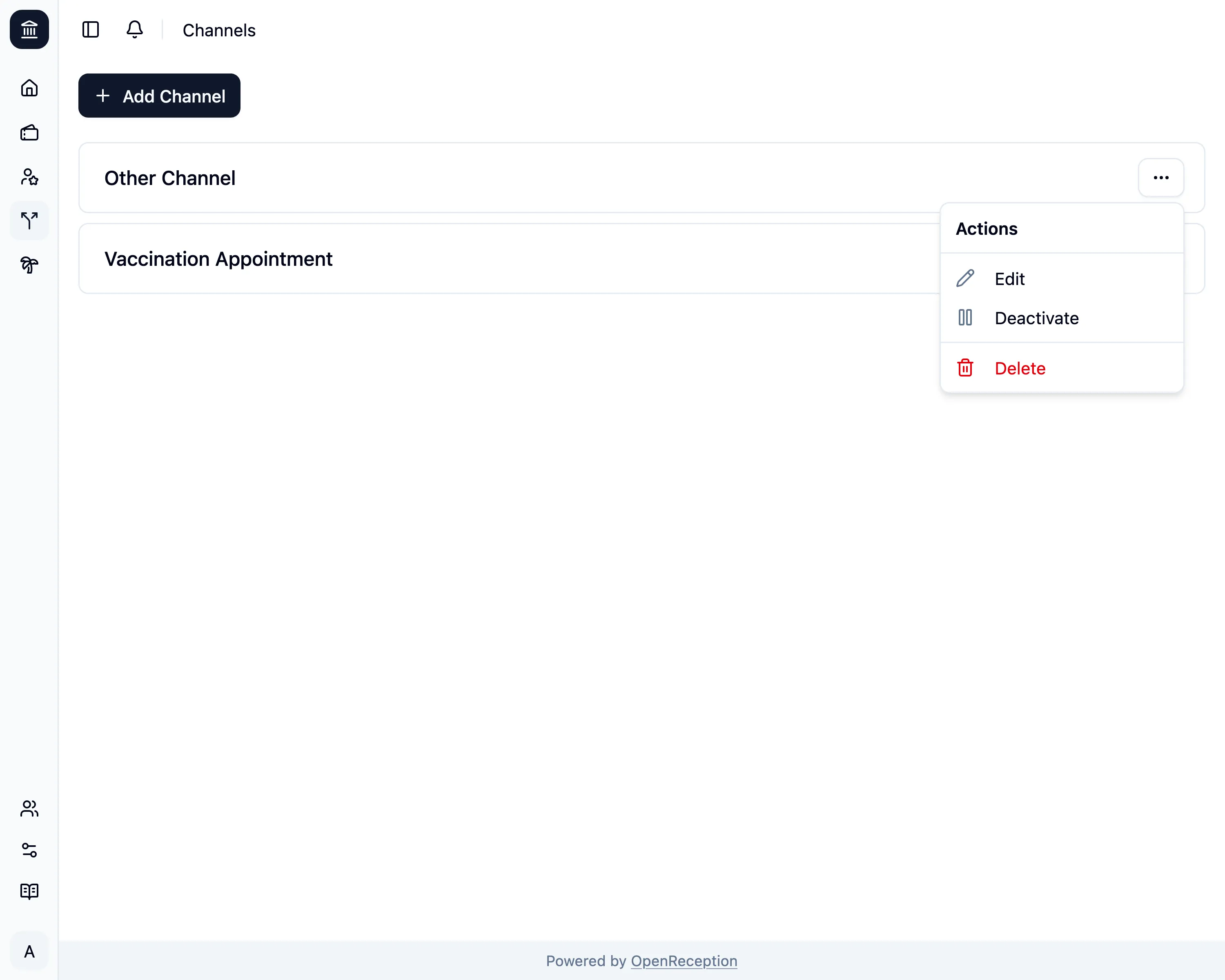
Navigate to the channels section of the dashboard, search for the channel you want to delete and open the context menu for it. Click on Delete.
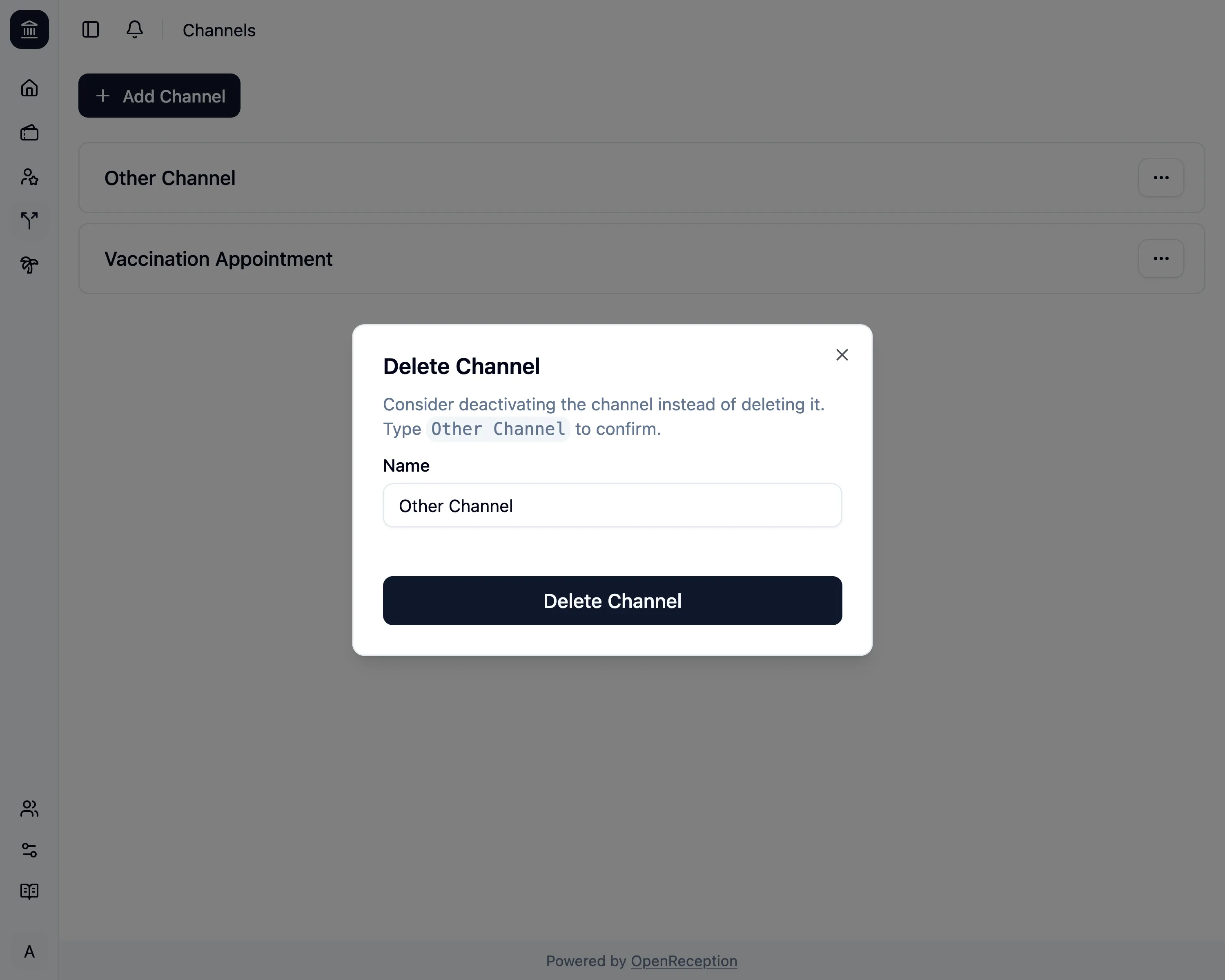
A modal with a form opens. Enter the name of the channel and click Delete Channel
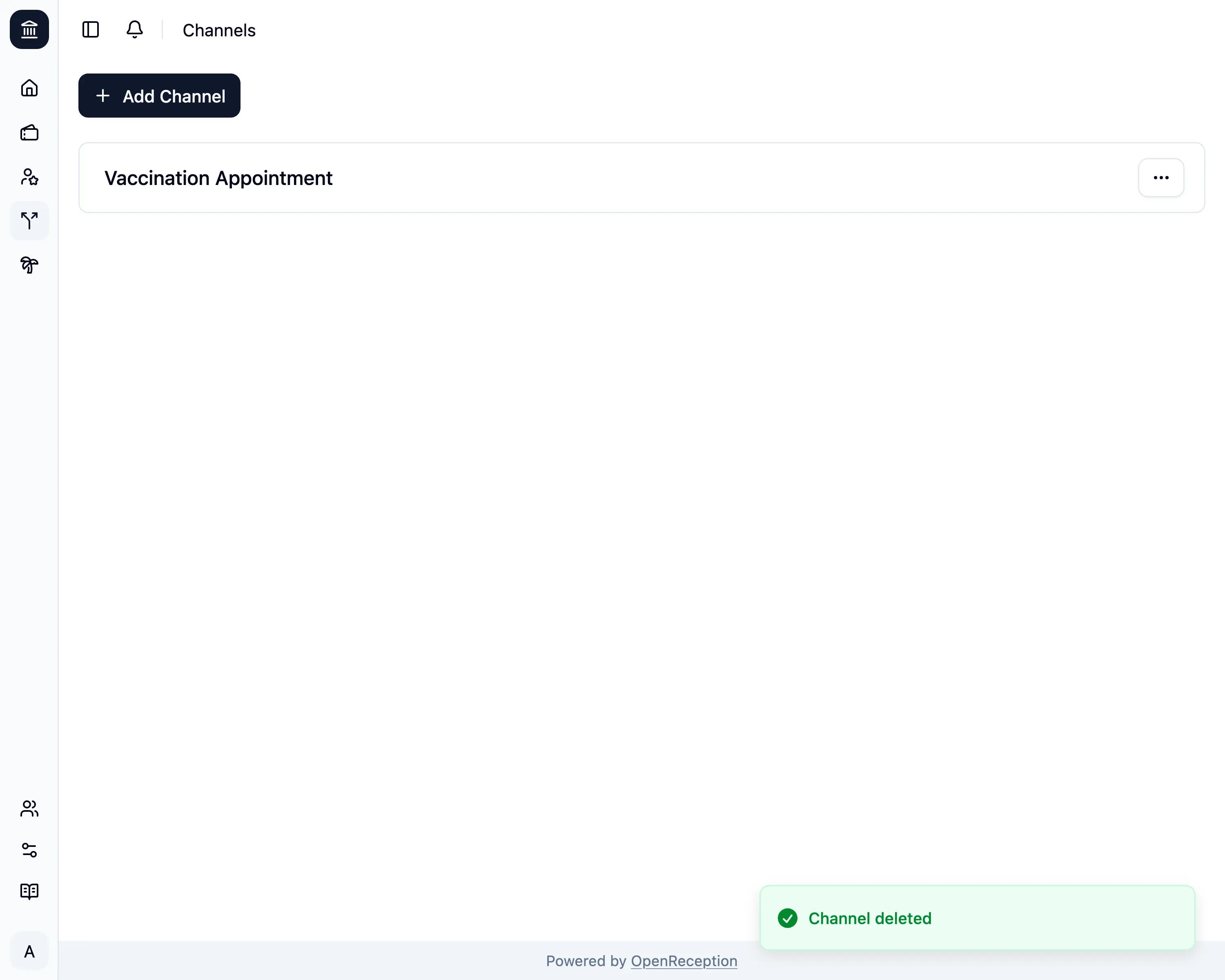
The channel will be removed.