
Add Tenant
Management Feature
Add a new tenant, if you want to allow a new organization/ person to collect appointments.
-
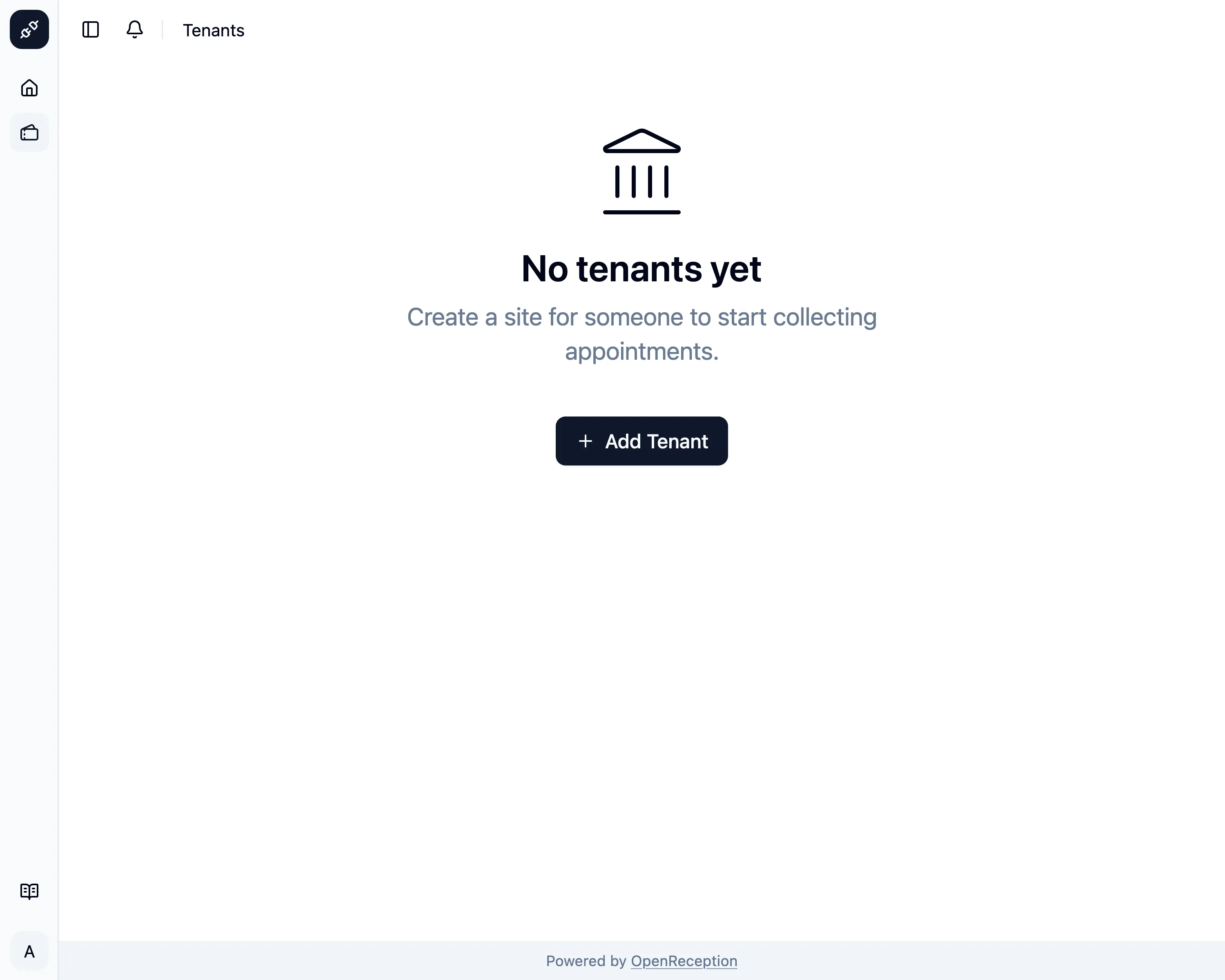
Navigate to the tenant section of the dashboard and click on Add Tenant
-
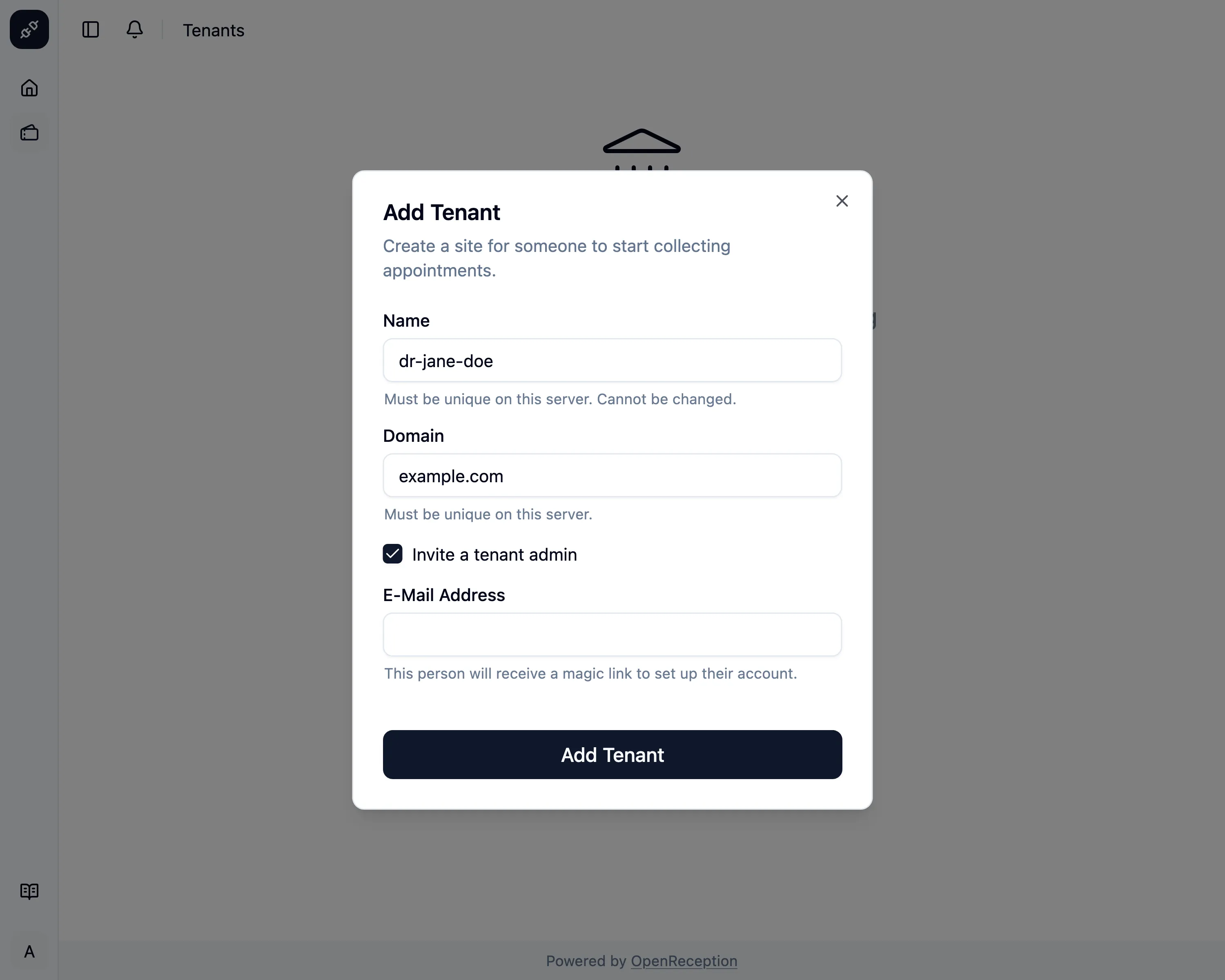
A modal with a form opens.
- Add a unique internal name for the tenant. Cannot be changed later.
- Add a domain. This domain should already point to the IP or CNAME of this instance.
- You can also add an E-Mail Address for a person that will be added with the tenant admin role.
- Click Add Tenant when you are finished.
-
The tenant will be created and shown in the list of tenants.
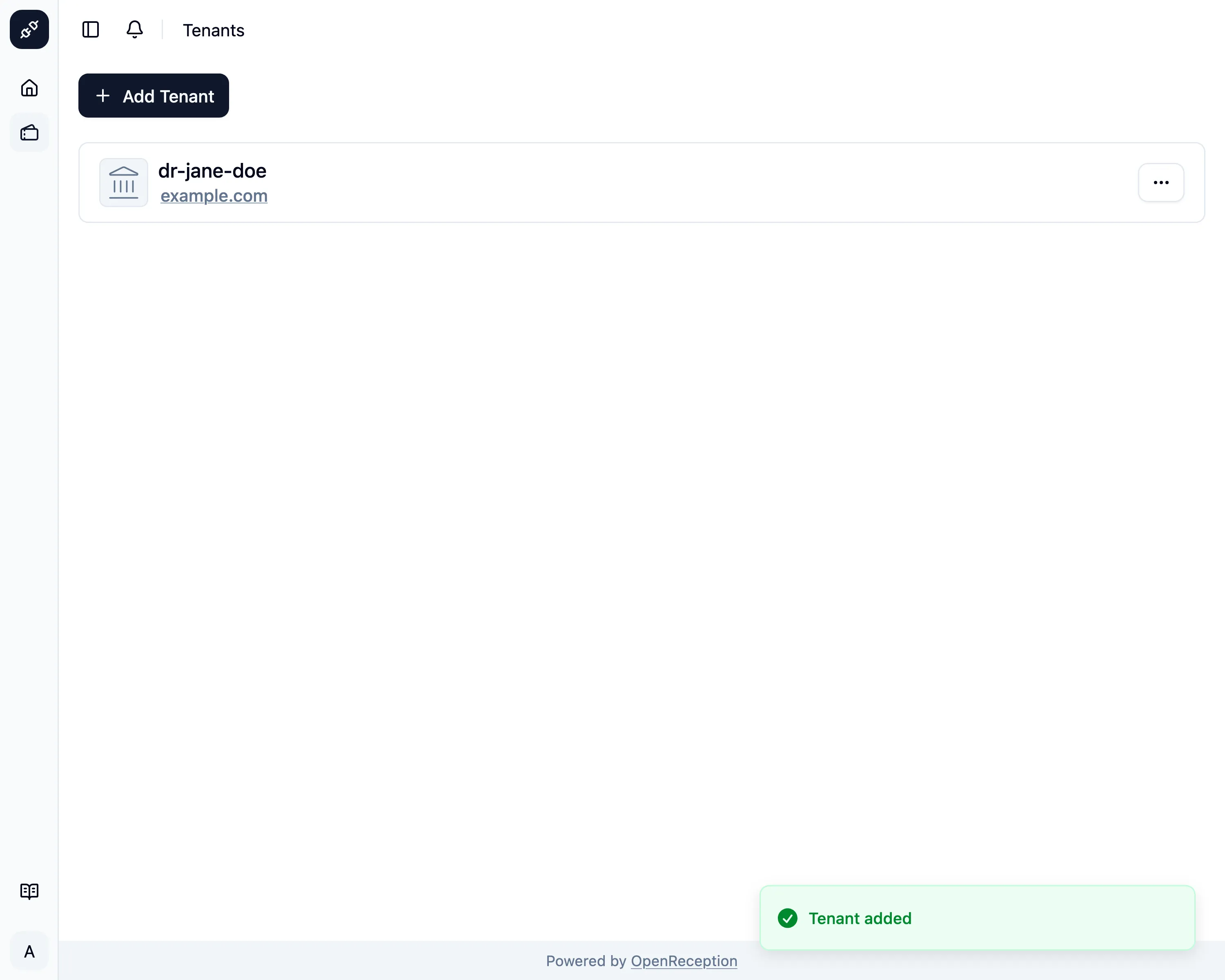
Proceed with selecting the tenant, to start setting it up.